Google Search Console Just Got Intelligent: New Features You Need to Know About
If you've been sleeping on Google Search Console lately, wake up. Google quietly dropped a series of updates that fundamentally change how you analyze organic performance data. And if you're still manually sorting branded from non-branded traffic with regex hacks, you're already behind.
Here's a breakdown of the three biggest GSC updates and exactly how to use them to make smarter decisions in 2026.
AI-Powered Configuration
No more fiddling with filters!
This is the one that should get you the most excited if you spend any serious time inside the Performance report.
Google introduced an experimental feature called AI-powered configuration, which lets you describe the analysis you want in plain English, and the tool automatically configures the correct filters, date ranges, and comparisons for you.
Instead of manually setting up five dropdowns to compare mobile vs. desktop traffic for informational queries over a custom date range, you just type: "Compare my mobile and desktop performance for informational queries over the last three months" and it's done.
This will be one of the most used AI tools in your SEO tech stack, that is for sure!
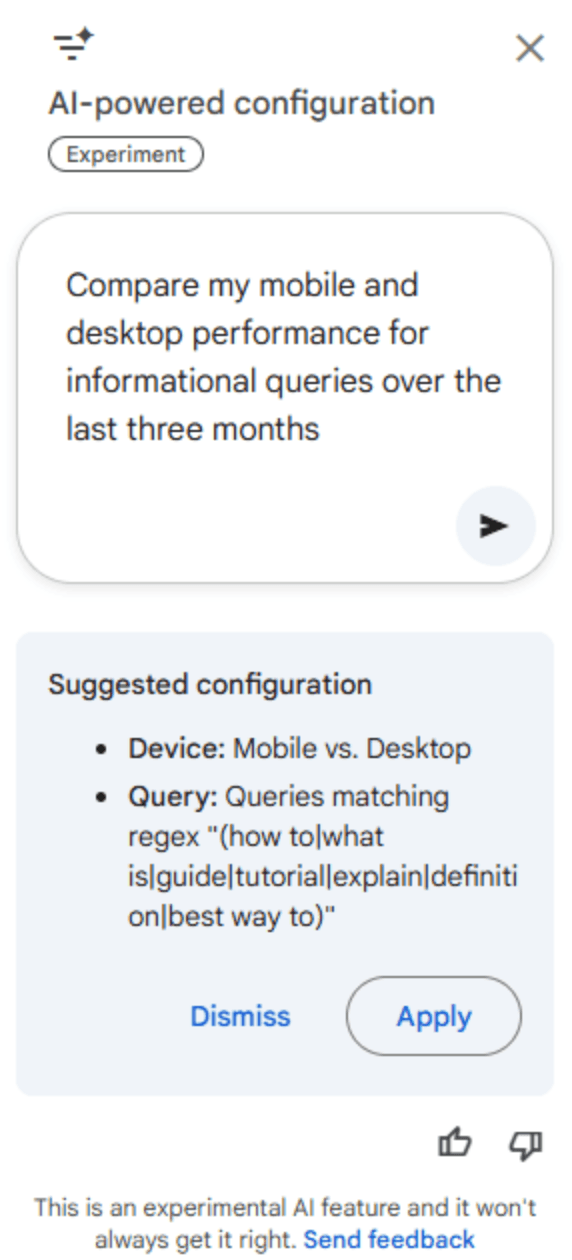
According to Google's announcement, the feature handles three key operations automatically:
Applying filters — narrow by query, page, country, device, search appearance, or date
Configuring comparisons — complex date range setups without manual work
Selecting metrics — surfaces the right data for the question you're asking
What Does This Mean For You and Your Clients?
This isn't just a convenience feature. It democratizes advanced reporting. Junior SEOs and clients can now self-serve answers in seconds! This means your value as an SEO professional will help improve interpreting patterns and making strategic calls, not just configuring dashboards and stating keyword difficulty. Start using it to answer questions you previously avoided because the setup was tedious.
Currently, there are some limitation since it's experimental. As of now no support for sorting or exporting yet, and AI outputs should be verified (like always). It's been rolling out gradually since December 8, 2025, so if you don't see it, check back.
Branded vs. Non-Branded Query Filter
This is now available for all eligible sites! Learn more on Google Search Central Blog.
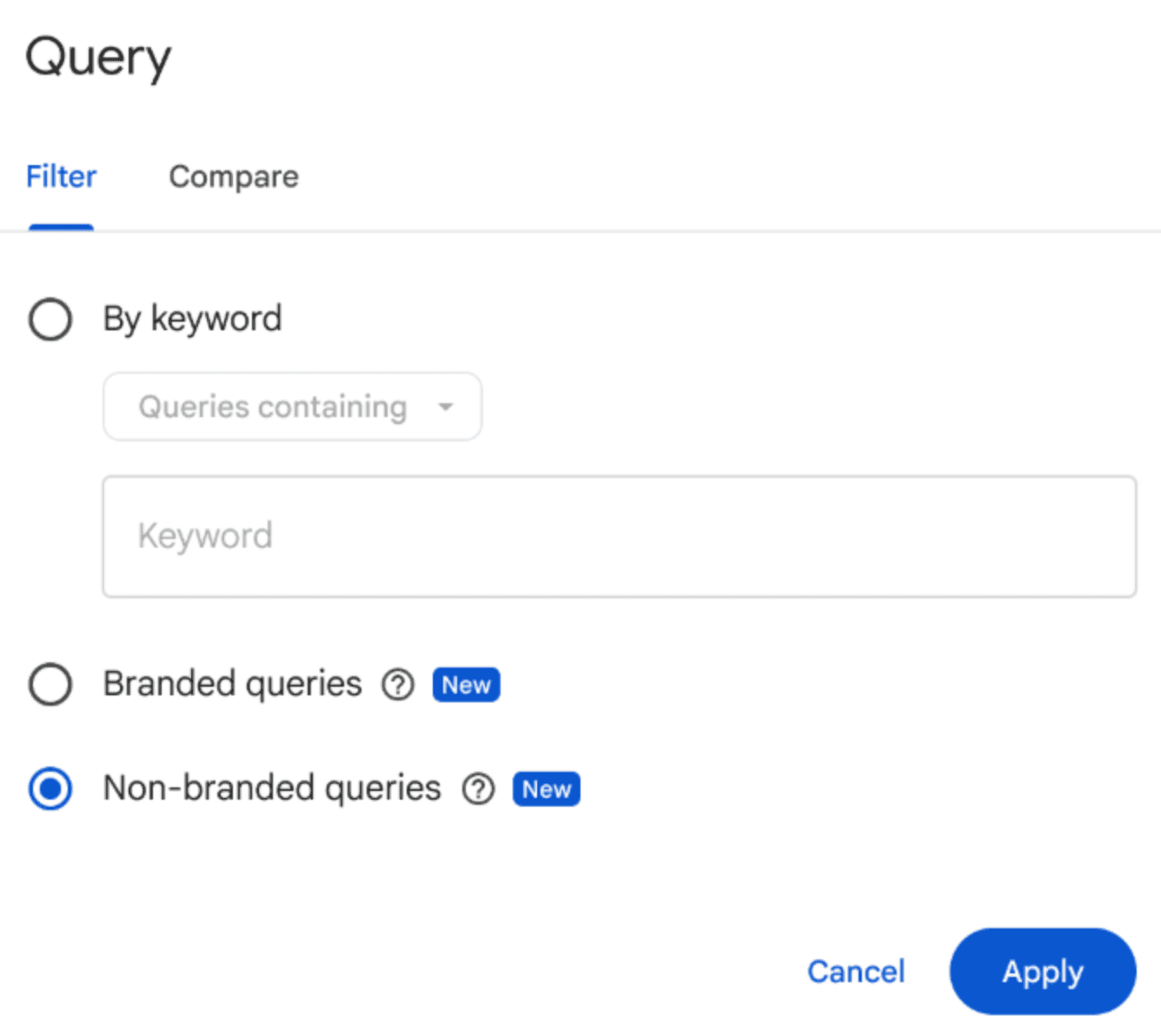
This is the biggest analytical unlock Google has given SEOs in years. For the first time, GSC natively separates branded queries from non-branded queries automatically, without regex, without spreadsheet gymnastics, without third-party tools.
What It Does
The filter appears in your Search Results Performance Report. Toggle between:
Branded — queries containing your brand name, variations, misspellings, and brand-adjacent products/services
Non-Branded — everything else (your true organic discovery traffic)
When applied, you see impressions, clicks, average position, and CTR segmented cleanly by group. It works across all search types: Web, Image, Video, and News.
Google uses an internal AI-assisted classification system, and not static keyword lists to identify branded queries. That means it catches misspellings, variations across languages, and even indirect brand references that a regex filter would miss.
Why This Changes Everything
Here's the honest truth, most SEO reports are lying to clients but not intentionally, structurally. Branded traffic inflates your numbers. When someone searches your company name and clicks through, that's not SEO working. That's brand awareness doing its job.
With this filter, you can finally answer the questions that actually matter:
Is our SEO actually driving new audience discovery? (Look at non-branded clicks over time)
Is our brand awareness growing? (Watch branded impressions and CTR trends)
Are our content campaigns working? (Non-branded growth after a content push = real signal)
Why did "organic traffic" spike? (Was it a PR hit driving branded search, or genuine ranking gains?)
A new card in the Insights report also shows the branded vs. non-branded click breakdown at a glance which is useful for client reporting.
Eligibility Requirements
Top-level domain properties only (no subdomain or URL-path properties)
Sufficient query and impression volume required
Gradual rollout — if you don't see it yet, it's coming
Topical Cluster Analysis with Query Groups
Launched just before the Branded Filter, Query Groups lets you cluster similar queries together for performance comparison directly inside Search Console Insights.
This is entity-based SEO thinking baked into the tool itself. Instead of looking at queries one by one, you can analyze how entire topic clusters are performing which aligns perfectly with how Google actually evaluates topical authority.
The SEO Play: Use Query Groups alongside the Branded Filter for a complete picture. Branded filter tells you who is finding you. Query Groups tells you what topics are driving non-branded discovery. Together, they answer: "Are we actually building topical authority in the areas that matter?"
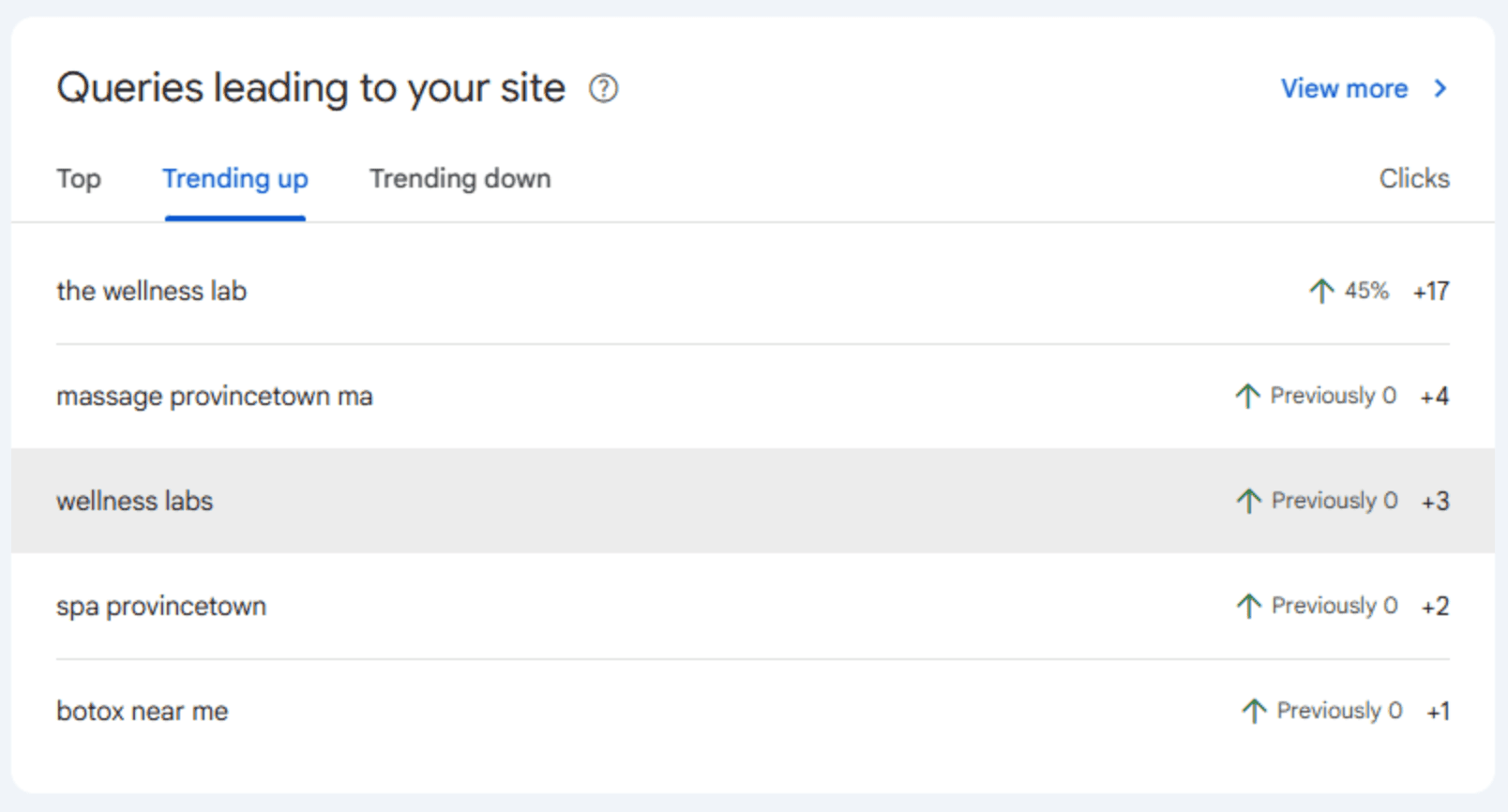
Above is an example of one of AJ SEO Guy's clients, The Wellness Lab.
Custom Chart Annotations
Small feature, big operational value. You can now add contextual notes directly onto your performance timeline charts. Launched a new content cluster? Ran an off-page campaign? Rolled out a technical fix? Mark it directly in GSC.
This closes the loop on "why did this happen?" - a question that used to require cross-referencing change logs, Slack messages, and memory. Now the story behind your data lives inside the same report.
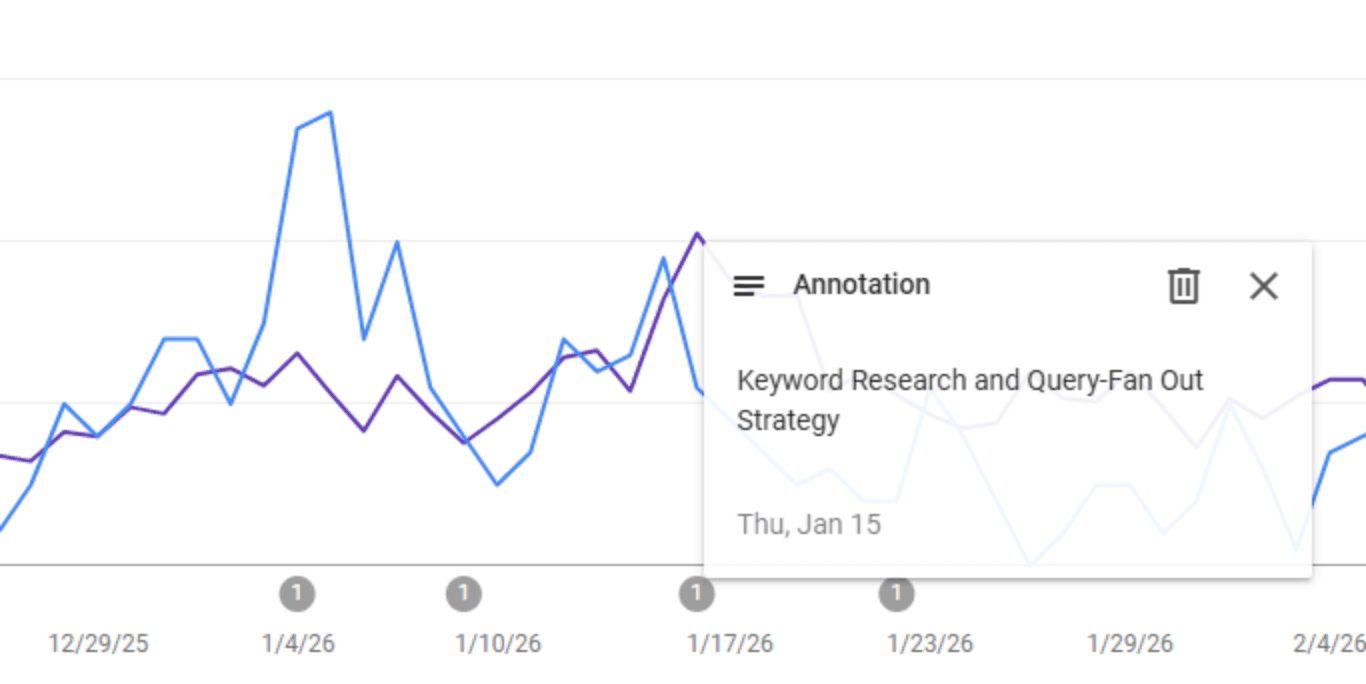
Google Search Console is no longer just a diagnostic tool. With AI-powered configuration, native branded/non-branded segmentation, query grouping, and contextual annotations, it's becoming a genuine search intelligence platform.
The old way of pulling raw data and building segmented reports in spreadsheets is being automated away. The SEOs who win in the AI visibility environment are the ones who use these features to move faster, tell cleaner stories with data, and redirect their energy toward strategy, not setup.
Your action items this week:
Check if the Branded Queries filter is live on your top-level properties
Run your performance report with non-branded filter applied, that number is your real SEO baseline
Test the AI-powered configuration with a complex query you've been putting off
Set your first custom annotation to start building a contextual performance history